custom enamel pins
Custom Enamel Pins: A Streamer's Guide to Getting Them Made
Ready to make custom enamel pins for your stream? This guide breaks down everything from design and costs to finding manufacturers, with options for any budget.
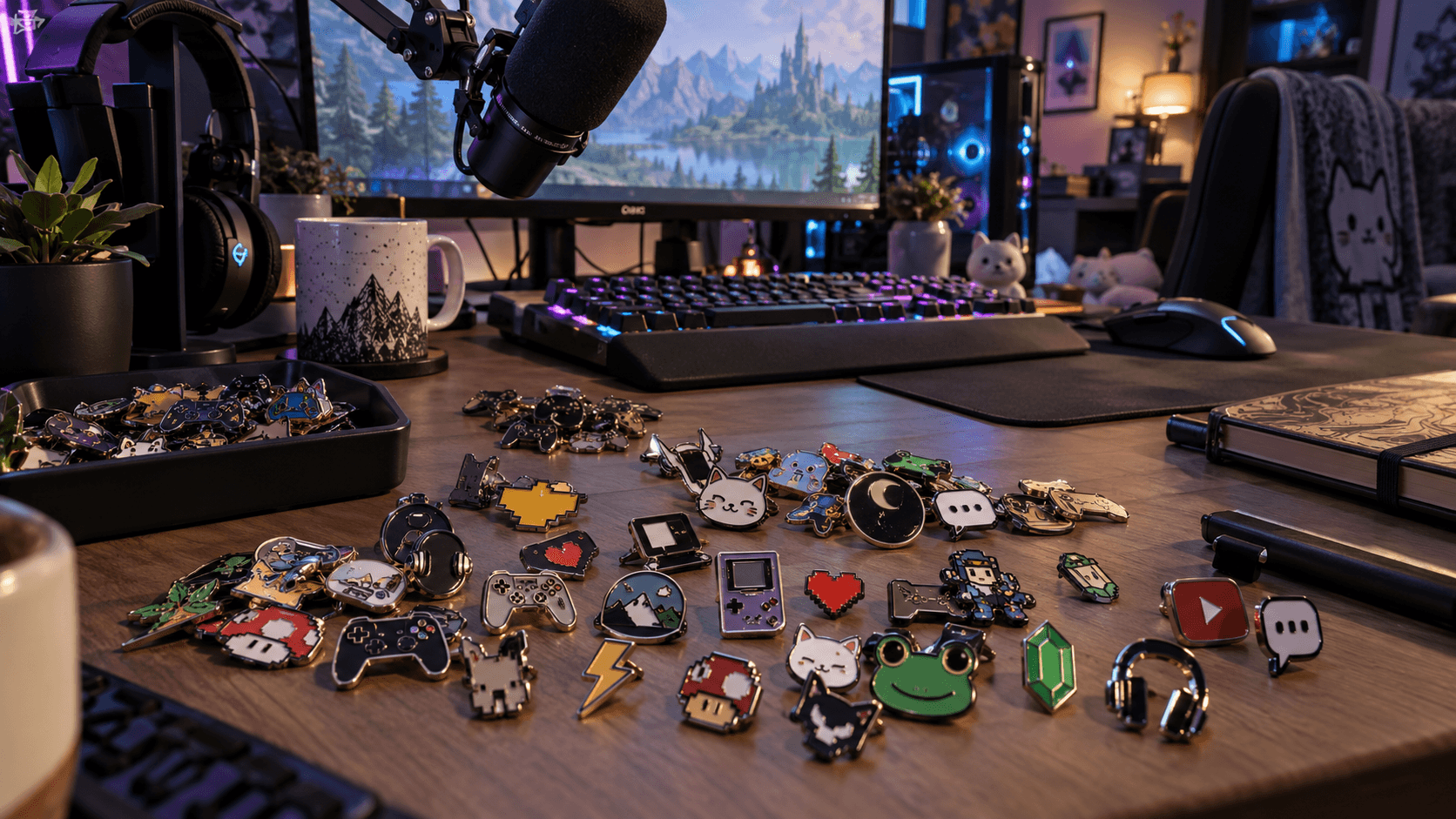
Okay, so you’re thinking about making enamel pins. Good choice. They’re like the secret handshake of a stream community. A little piece of your channel that someone can put on a jacket or a backpack.
But I get it. The whole idea probably sounds expensive and super complicated, like you need a business degree and a warehouse to even start. I’ve been there.
Here’s the honest truth: you don’t need a massive following or a big budget to make awesome custom enamel pins. You just need a cool idea that your community will love.
This guide is going to walk you through it. No jargon, no fluff. Just a straight-up explanation of how to get it done, from your first sketch to the finished pin in your fan’s hands. We’ll cover the different ways to get them made so you can pick the path that’s right for you.
Why Pins? (And Why You Don't Need a Huge Audience)
Let’s be real, not everyone wants to wear a t-shirt with your face on it. No offense. But a small, cool-looking pin? That’s different.
Pins are the perfect merch item for smaller, tight-knit communities. Fifty people who genuinely love your stream and would rock a pin are way more valuable than 10,000 passive followers who wouldn’t buy anything. It’s about engagement, not just numbers.
They’re a subtle way for your community to represent the stream IRL without it feeling like a walking billboard. Someone in your chat can put it on their bag, and if another community member sees it, it’s an instant connection. An inside joke made real.
Plus, they have a high perceived value. A pin might only cost you a few dollars to make, but it feels like a substantial, quality item. This makes them amazing for hitting sub goals ("Everyone gets a pin if we hit 500 subs!") or as a prize for a community night giveaway. They're a collectible, not just a piece of clothing. They fit right in with the streamer merch ideas and design concepts fans actually buy because they feel less like an ad and more like a secret club badge.
So yeah, don't sleep on pins. They're a fantastic way to give your core supporters something special.
How to Get Pins Made: The Two Main Paths
So, how do you actually make a pin? You've basically got two main options. Think of it like choosing your starting class in an RPG: one is low-risk and easy to start, the other requires more investment but has a bigger payoff.
Option 1: Print-on-Demand (The "Test the Waters" Method)
This is the path I recommend for almost everyone starting out. Print-on-demand (POD) is exactly what it sounds like. A company handles everything, the printing, the packing, the shipping, but only after someone places an order.
You just upload your design, set a price, and connect the service to your merch store or Merch Shelf. When someone buys a pin, the POD company makes it and sends it directly to them. You get a cut of the sale.
- Pros: Zero upfront cost. You pay nothing until you make a sale. No inventory means your spare room doesn't become a warehouse. You don't have to deal with post office lines. It’s the ultimate low-risk way to see if people are even interested in your design.
- Cons: The per-item profit is lower. You have less control over the quality. And here's the big one: most POD "enamel" pins aren't traditional enamel. They're usually printed metal or button-style pins. They still look cool, but they’re different from the classic hard enamel pins you might be picturing.
Services like Printify and Printful are the big names here. I've found that services like Printful have a decent setup for this, and you can check out Printful's personalized pins page to see how it works. It's a great way to get a pin design out there with literally zero financial risk.
.jpeg&w=1080&q=75)
Option 2: Bulk Ordering (The "Classic" Method)
This is what you probably think of when you imagine getting merch made. You find a manufacturer, often overseas, through a site like Alibaba or a specialized pin company, and order a big batch, usually 100 or more at a time.
- Pros: The cost per pin is way, way lower. This means your profit margin on each sale is much higher. You get access to higher-quality options, like true hard enamel, glitter effects, and custom shapes. You have total control over the final product.
- Cons: The upfront cost is significant. You’re paying for everything at once, before you’ve made a single sale. You have to store all that inventory somewhere. And the biggest task: you are personally responsible for packing and shipping every single order.
The Verdict: Where Should You Start?
Honestly? Start with print-on-demand. It’s your safe bet. Create one great design, put it up on a POD site, and see what happens. If it sells really well and you get a ton of requests, then you can consider leveling up to a small bulk order.
The only time I'd suggest starting with a bulk order is if you need them for an in-person event like a convention, where you know you'll be handing them out or selling them directly. Otherwise, test the waters first. Don't fill your closet with 200 pins before you know if anyone wants one.
Designing Your Pin: From Emote to Reality
A great pin starts with a great design. But "great" for a pin means something specific: simple, bold, and instantly recognizable.
Start With What You Already Have
You don't need to be a professional artist. Your best design ideas are probably already part of your stream.
- Emotes: Your most-used custom emote is a perfect starting point. It's already small and designed to be iconic.
- Logos & Mascots: If you have a channel logo or a mascot, that's an obvious choice.
- Inside Jokes: Is there a quote, a catchphrase, or a silly drawing that your chat spams all the time? That's gold. A pin of a legendary misspelled word from a VOD can be funnier and more meaningful to your community than a slick corporate-style logo. The more it feels like an inside joke, the better.
The key is to simplify. Think in bold lines and distinct color areas. Tiny details and color gradients get lost when you shrink them down to a 1.5-inch piece of metal.
The Technical Bits, Simplified
When you start talking to manufacturers, they'll throw a few terms at you. Don't get intimidated.
- Hard vs. Soft Enamel: Imagine coloring in a coloring book. With soft enamel, the metal lines are raised, and the colored enamel fills the valleys, so you can feel the texture. With hard enamel, they overfill the enamel and then polish the whole thing down so it's smooth and flat. Hard enamel is generally seen as higher quality and is more durable, but also costs a little more.
- Metal Plating: This is the color of the metal lines. Common options are gold, silver, copper, and black nickel. Black nickel is a popular choice because it makes bright colors pop.
- Backing Clutch: This is the little nub on the back that holds the pin on. Rubber clutches are standard and come in lots of colors. Metal "locking" clutches are more secure but cost extra.
.png&w=1080&q=75)
Getting the File Right
This is the part that trips most people up. You can't just send a screenshot of your emote. Manufacturers need a vector file.
Vector files (with extensions like .AI, .EPS, or .SVG) are made of mathematical lines and curves instead of pixels. This means they can be scaled to any size without getting blurry. A JPG or PNG file will look blocky.
If you're thinking, "I have no idea what a vector file is," you have a few options:
- DIY: If you're feeling adventurous, you can use free software like Inkscape to trace your design and create a vector version yourself. There are tons of tutorials online.
- Mockups: You can use a free tool like Canva to create a clean, high-resolution version of your design to get a feel for it. While it won't be a true vector, it can be a good starting point for a designer.
- Hire Someone (The Easiest Way): Go to a site like Fiverr and search for "vectorize logo" or "enamel pin design." For about $20-$50, you can find an artist who will take your PNG emote and professionally convert it into a print-ready vector file. It saves a massive headache.
If you're a visual learner, this YouTube video from an artist is super helpful for understanding the whole design-to-production process.
The Nitty-Gritty: Finding a Manufacturer & Costs
Alright, you've got your vector design. Now you need someone to actually make the thing. This part is for if you've decided to go the bulk-ordering route.
Where to Look for Enamel Pin Manufacturers
Finding a factory isn't as scary as it sounds. You're basically looking in two places:
- Alibaba: This is the big one. It's a huge marketplace connecting you directly with factories, mostly in China. It's almost always the cheapest option, but communication can sometimes be a little tricky, and you need to be careful to vet your supplier. Look for suppliers with lots of positive reviews and "Trade Assurance."
- Specialized Pin Companies: Just Google "custom enamel pins" and you'll find tons of companies that act as a middleman. They're often based in the US or Europe, which makes communication easier. They handle the back-and-forth with the factory for you. It's more expensive than going direct, but it can be less intimidating for a first-timer.
- Ask Around: See another small creator with cool pins? Don't be afraid to ask them who they used! The creator community is usually happy to share. You can also find great recommendations in places like this Reddit thread in r/artbusiness where artists share their experiences.
Breaking Down the Cost: How Much Do Enamel Pins Cost?
Here are some real numbers. Think of the cost in two parts:
- The Mold Fee: This is a one-time cost to create the physical metal stamp for your pin. Expect it to be between $50 and $100. It's like buying a new controller; you pay it once to get in the game.
- The Per-Pin Cost: This is the cost for each individual pin. The more you order, the cheaper each one gets. For a standard 1.5-inch hard enamel pin, you might see pricing like this:
- 100 pins: $3 - $4 per pin
- 300 pins: $1.50 - $2 per pin
- 500+ pins: Under $1.50 per pin
Don't forget to factor in shipping from the factory to you, which can be another $30-$60.
How to Get a Quote
The process is simple. You email a manufacturer with:
- Your vector design file.
- The size you want the pin to be (e.g., 1.5 inches).
- The quantity (e.g., 100).
- Your specs (e.g., hard enamel, black nickel metal, two rubber clutches).
They'll email you back with a price quote and a digital proof, which is a mockup of what the final pin will look like. Check it very carefully for any mistakes. Once you approve it and pay, they start production. Before you pay for the full 100+, always ask if you can pay for a physical sample first. It might add a couple of weeks and a small fee, but seeing the real thing before you commit to a big order can save you from a huge mistake.
Your Pre-Launch Checklist: Dos and Don'ts
Before you hit "confirm" on that order, run through this quick list. I learned some of these the hard way.
Dos:
- Do poll your chat on design ideas. Let them feel involved in the process from the start.
- Do order a physical sample if you’re doing a bulk order. A digital proof can look different from the real thing.
- Do factor in shipping supply costs. You'll need bubble mailers and maybe custom backing cards. That adds up.
Don'ts:
- Don't order 500 pins for your first-ever drop. Start with 100. Selling out is a good problem to have.
- Don't make the design overly complex. Too many tiny lines or small text won't translate well to metal.
- Don't forget to calculate your final sale price after all your costs, including the mailers and shipping to your customer.
.jpeg&w=1080&q=75)
Conclusion
So, that's the grind. Making custom enamel pins is way more achievable than you probably thought. It's not some secret, expensive club for huge creators.
You have a clear choice. You can start with zero risk using a print-on-demand service to test a design and see what your community likes. If it takes off, or if you're feeling confident, you can make the jump to a small bulk order of 100 pins to get better quality and make a higher profit.
The most important thing isn't your follower count. It's having a design that feels authentic to your channel, an emote, a catchphrase, a piece of your community's unique culture. That's what people connect with.
Now go turn that inside joke into a piece of merch your chat will be proud to rep in the real world. You got this.
FAQ
Do I need permission to use game characters or emotes I don't own?
If your design uses characters, logos, or artwork from a game or show you don't have the rights to, you're in a legal gray area, even for a small giveaway item. Your own original emote, mascot, or hand-drawn inside joke is always the safest bet. If you want to reference a specific game, stick to things like your gamertag or a generic gaming motif rather than copyrighted art.
How do I actually price my pins to make money?
Add up your total cost per pin (manufacturing plus the mailer, backing card, and shipping to you), then double it at minimum for your sale price. So if a pin costs you $2 all-in, aim to sell it for at least $4-5. That covers your costs, PayPal or platform fees, and leaves you an actual profit instead of just breaking even.
How long does it take to get pins in hand?
For bulk orders, budget 3-5 weeks: about a week for the sample and approval, then 2-4 weeks for production and shipping. Print-on-demand is different since there's no batch production; pins usually ship within a few days of an order and arrive on the POD company's normal shipping timeline.
What size should I make my pin?
1.5 inches is the standard and works for most designs. Go smaller (around 1 inch) for simple logos or single icons, and only go bigger if your design has real detail that needs the extra space, since oversized pins cost more to ship and can feel clunky on a jacket or bag.
What do I do if I have pins left over after a bulk order?
Keep a few in reserve for new sub milestones, mod gifts, or convention giveaways instead of just letting them sit. If a chunk are still unsold after a few months, bundle them into a "mystery pack" with other merch or discount them in a flash sale rather than eating the full loss.
Keep reading
- Instagram Shop vs. Linktree: Which Is Better for Streamer Merch?
Instagram Shop vs Linktree: which is better for your streamer merch? We break down the pros, cons, fees, and follower experience to help you choose the right tool.
- Streamer Merch Brand Name Ideas (+ How to Check If It’s Free)
Looking for streamer merch brand name ideas? Get 50+ creative names plus a simple 4-step guide on how to check if your new brand name is free to use.
- How to Design Streamer Merch That Actually Looks Pro
Learn how to design streamer merch that looks professional and your community will love to wear. A step-by-step guide from initial ideas to print-ready files.